
1. Access the website https://www.icpramericas2026.org/home/login and log in using the credentials previously sent to your email.
2. On the next screen, select the Scientific Committee profile.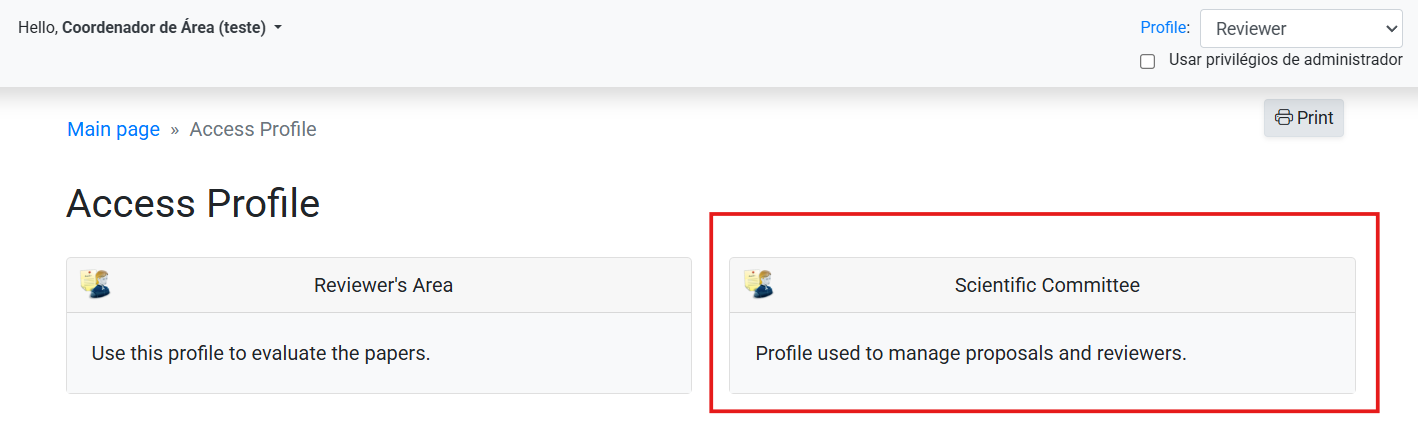
3. On the main dashboard, you will be able to view all the submissions in your area and will have the following action options:
- A) List reviewers: Allows you to consult and add reviewers to your area.
- B) Display abstract: Allows you to view the abstract.
- C) Choose reviewers: Allows you to assign the submission to a reviewer.
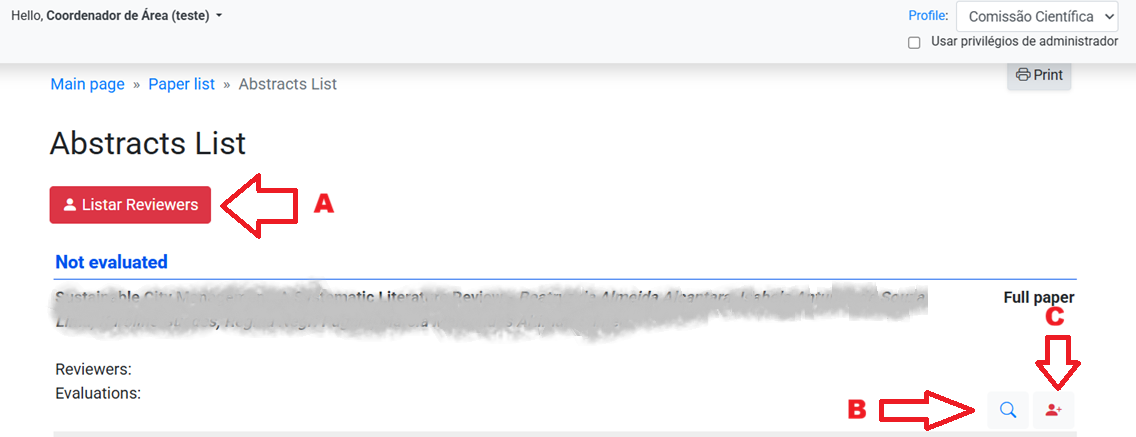
4. Registering a reviewer: Click on the Listar reviewers (List reviewers) option and, on the following screen, click on Incluir Parecerista (Add Reviewer).
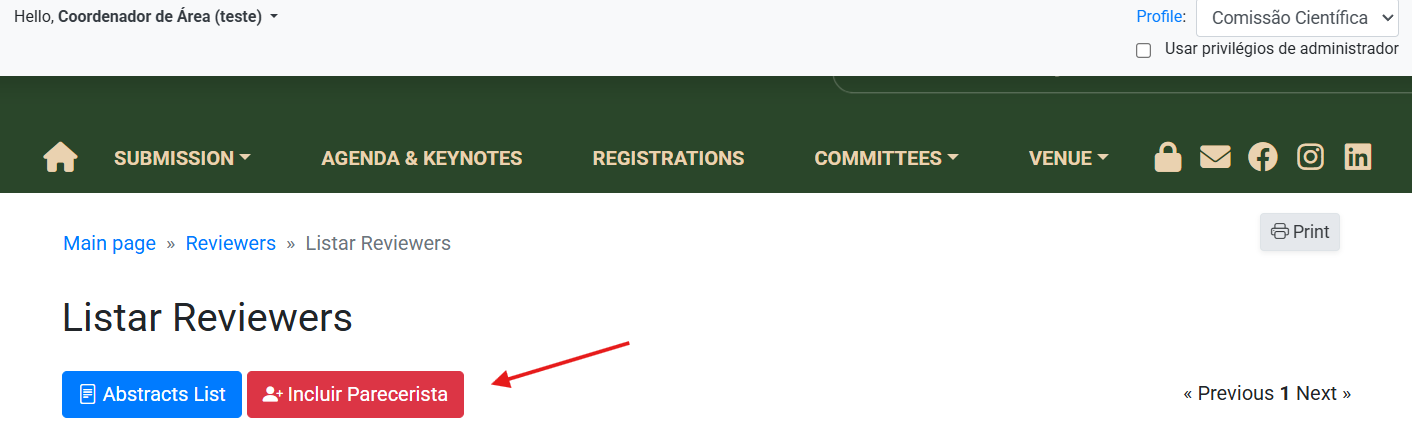
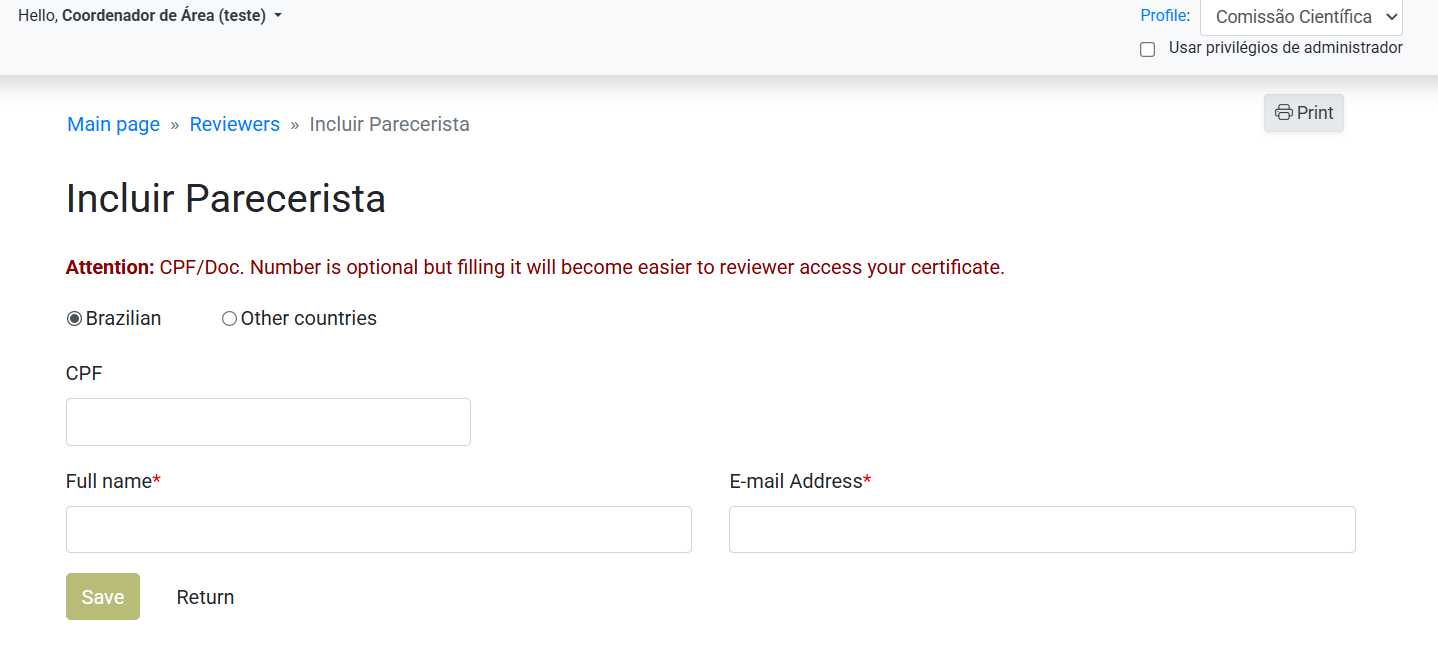
4.1. Fill in the following fields:
- Brazilian or Other countries - Choose this option based on the reviewer's nationality.
- CPF (if foreigner, the field changes to email) - Filling this field is optional, but not filling it will prevent the reviewer from issuing a reviewer certificate later.
- Full name - The person's full name.
- E-mail address - The person's email.
4.2. 4.2. Click Salvar (Save) to finish.
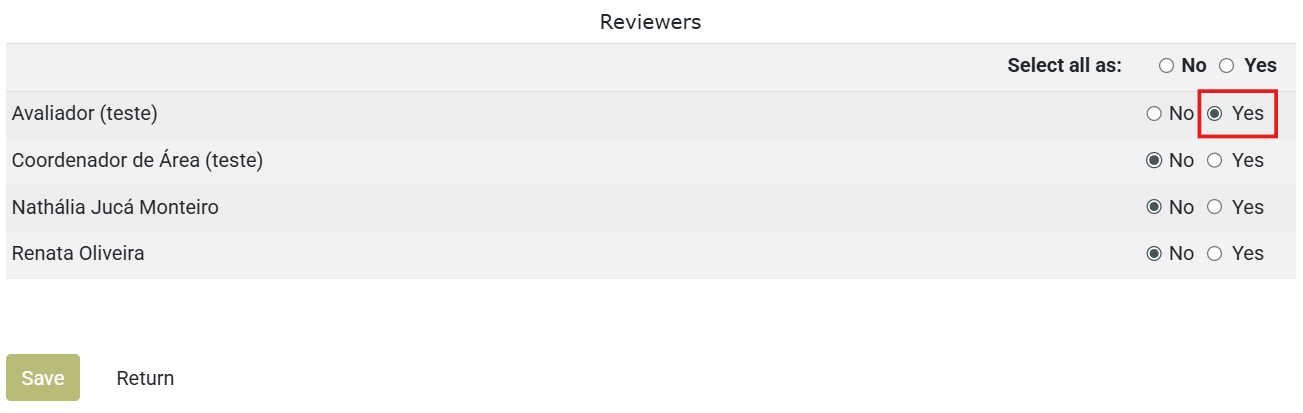
5. Assigning a submission to a reviewer: On the main dashboard, select a submission and click on the Choose reviewers option
5.1. On the next screen, from the list of available reviewers, click YES for the reviewers you wish to assign and click Salvar (Save) to complete the process.
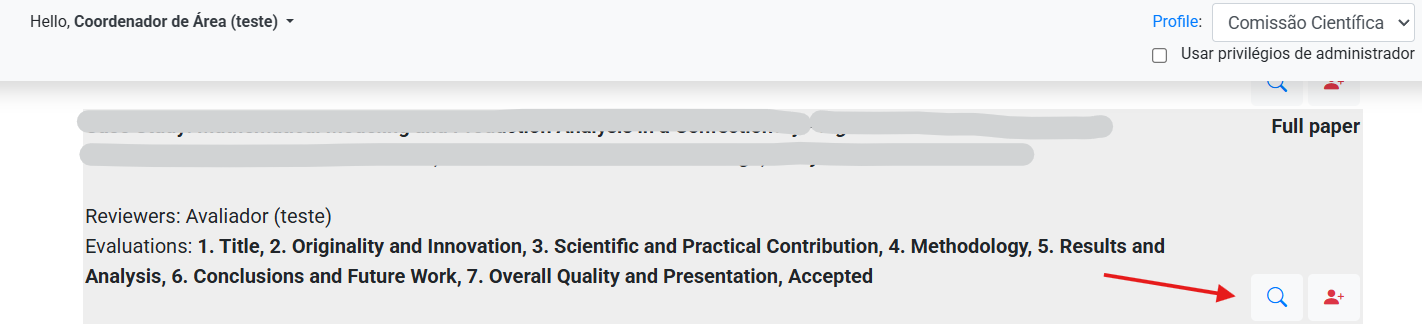
6. Monitoring evaluations: To view a submission's evaluation, click on the Display Abstract option.
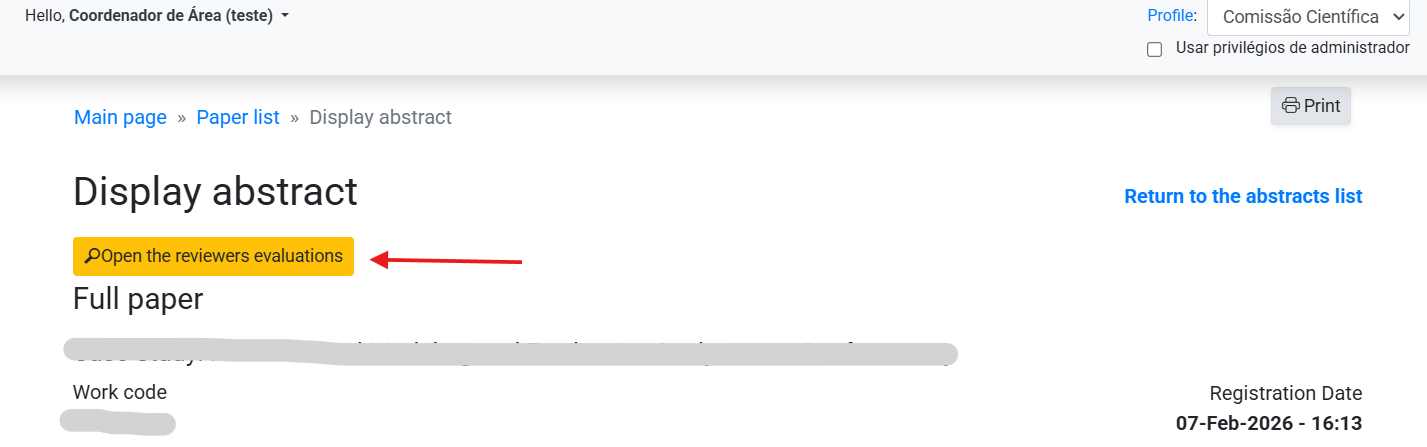
6.1. On the next screen, click on the option Open the reviewers evaluation:
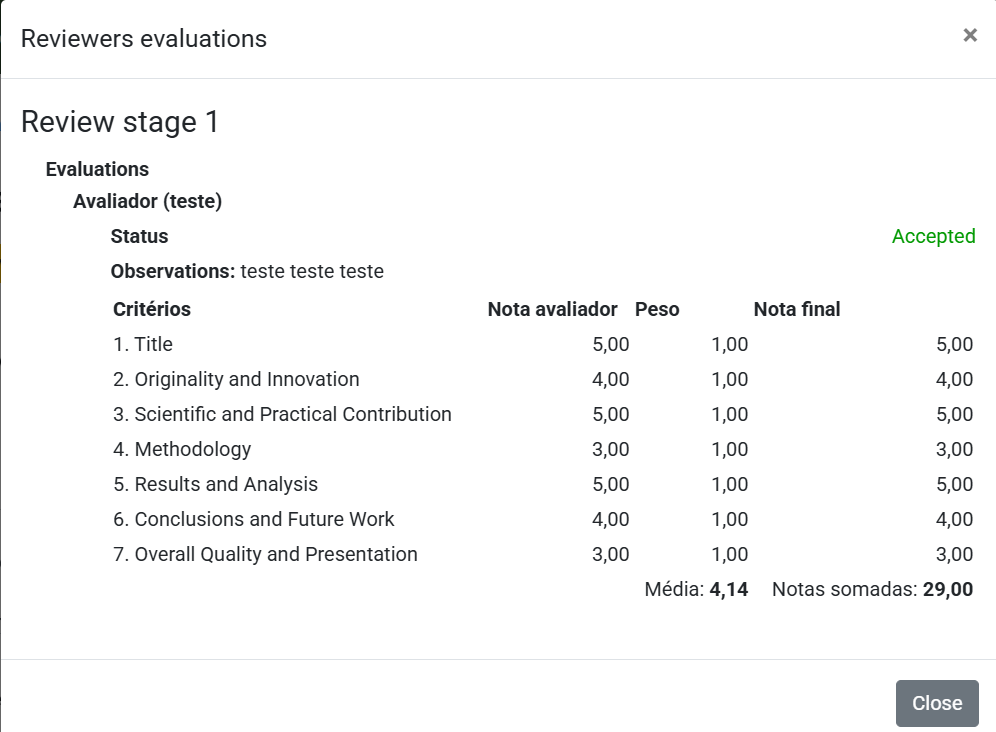
Visualization example:
If you have any questions, please contact the event secretariat.